
Invoices & Reports
Your invoice, your look.
Edit any draft: descriptions, hours or fixed fees, rates, taxes, payment terms, colours, logo, and visible sections.
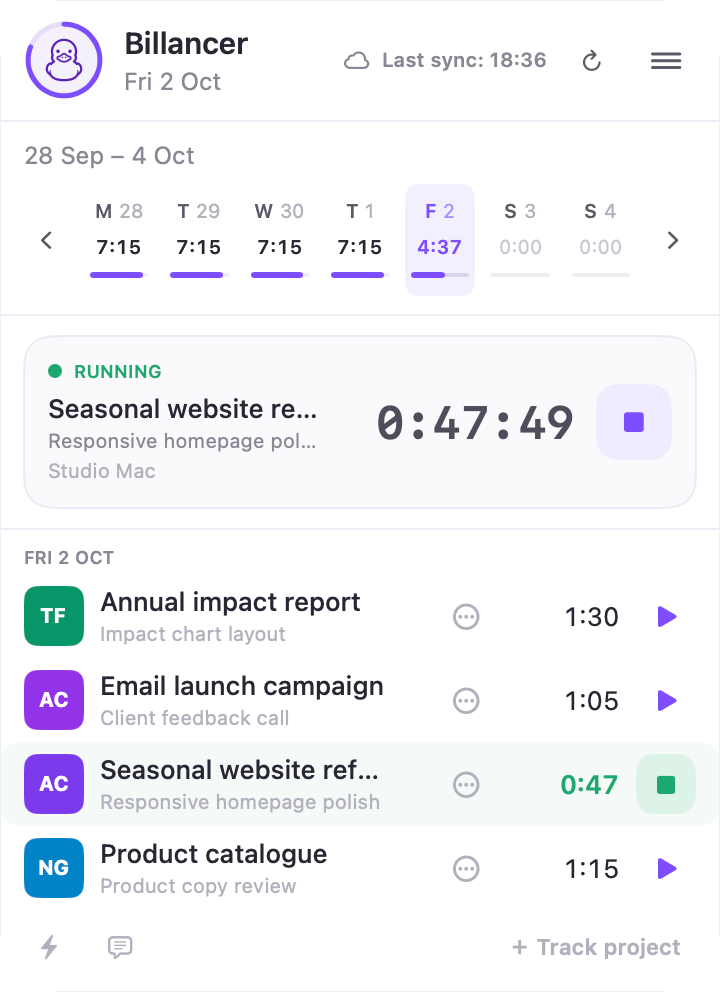
Start on one device. Stop from another. Billancer saves each action locally and brings the record together through your personal iCloud when your devices reconnect.
Every start and stop is saved on the device first, then synced through your personal iCloud when a connection comes back.
09:08 at your desk. Start the timer on the Mac.
One record carries through, from the first click to the paid invoice.
Every start and stop is recorded on the device where it happens and joins one timeline.
Billancer marks the potential pause. Add a −1h 30m adjustment with a note. The original session stays visible, so the history is never rewritten.
Review a day from the menu bar or your iPhone and mark it reviewed. The week's report opens with those values. Your tracked 38h 42m stays exactly as it was.
Create an editable draft in your browser and issue the PDF. Mark it sent or paid later on your Mac or iPhone. The source report stays linked to the invoice.
Edit any draft: descriptions, hours or fixed fees, rates, taxes, payment terms, colours, logo, and visible sections.
Manage invoices on Mac and iPhone: share issued PDFs, add private notes, and mark them as sent or paid.
Create an invoice without a time report for fixed fees and one-off services.
Give each project an hourly rate with the dates it applies, so past work keeps its rate.
No Billancer account or server is required for tracking.
The Mac and iPhone apps are available in 11 languages.
Real screenshots from the apps, with demo or privacy-edited client data. The demos above are recreations.
Your workspace stays in your personal iCloud on every plan. Paid upgrades use App Store billing, with local prices shown before purchase.
Track up to 3 active projects, sync with your personal iCloud, and view your full time history. No Billancer account required.
A one-time purchase for unlimited active projects. No subscription or Billancer account required. Does not include invoices or reports.
Review and round each day's time on Mac and iPhone. Create time reports and editable invoices in your browser. Manage invoices on Mac and iPhone. Includes Private Unlimited while subscribed. Two weeks free for eligible new subscribers; the localized renewal price is shown in the App Store before purchase.